Clients & sites
Every roof you clean, remembered
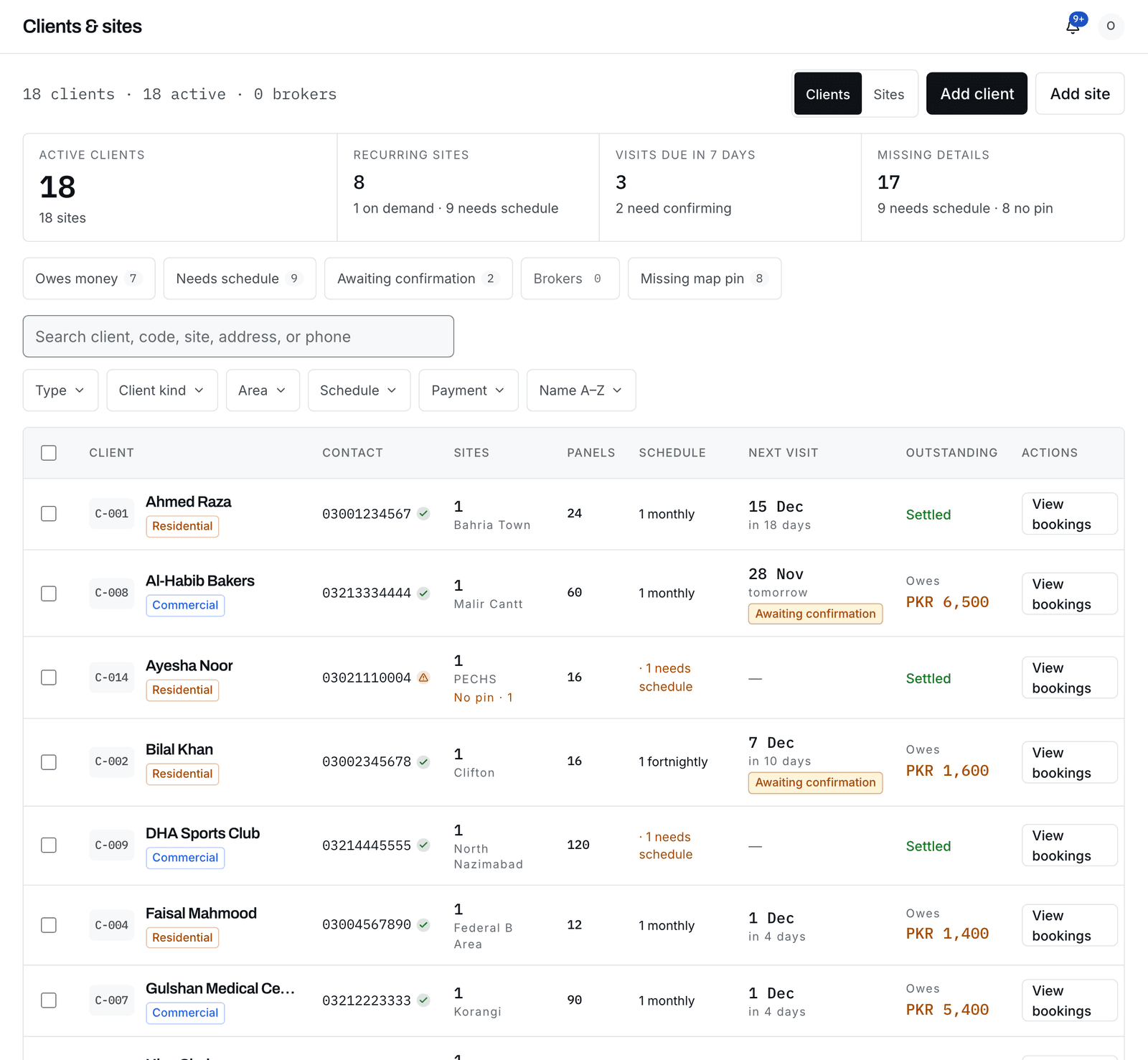
One record per client, with every site they own: panels, address, map pin, schedule, next visit and what they owe.
The problem
Client details live in five places
- The panel count is in one chat, the address in another, the price in your head.
- A factory with three sites gets one invoice for the wrong roof.
- New workers can't find the house without calling the client.
- Nobody knows which clients owe money until they're asked.
With SunlightDesk
What changes
- Many sites per client, each with its own address, area, pin, panels and price.
- Each site's schedule and next visit, residential or commercial.
- Outstanding balance per client, with filters for who owes money.
- Spot clients missing a schedule or a map pin.
How it works
- 1
Add a client. From scratch, or by converting a lead who booked.
- 2
Add their sites. Each roof with its panels, price, pin and default worker.
- 3
Keep it current. Visits, invoices and payments update the record by themselves.
Included
What you get with clients & sites
- Many sites per client
- Address, area, map pin and panel count per site
- Default price and default worker per site
- Residential or commercial
- Schedule, next visit and balance at a glance
- Filters for owes money, needs schedule, missing pin
On every plan, with everything else in SunlightDesk. No contract. Switch the assistant off for one customer or for everyone, any day. Your data stays yours, and if you ever stop, we hand it back.
Questions
What owners ask
Can I import my existing clients?
During setup we enter your current clients with you, so you start with a complete list.
What about brokers who bring me work?
Clients can be linked to a broker, and the day planner can group visits by broker.
See it in 15 minutes
Message us on WhatsApp. We'll show you a new enquiry going from the first message to "yes", using your own prices, and answer anything about your business.
No contract. Switch it off any day. Your data stays yours.